1
/
of
5
JKBMS
JKBMS 2 Inch LCD Display with Active Switch — BMS Monitor & Power Control for JKBMS Smart BMS
JKBMS 2 Inch LCD Display with Active Switch — BMS Monitor & Power Control for JKBMS Smart BMS
2 reviews
Regular price
$29.99 USD
Regular price
Sale price
$29.99 USD
Shipping calculated at checkout.
Quantity
Couldn't load pickup availability
Compact BMS Monitoring with Active Power Control — JKBMS 2 Inch LCD Display
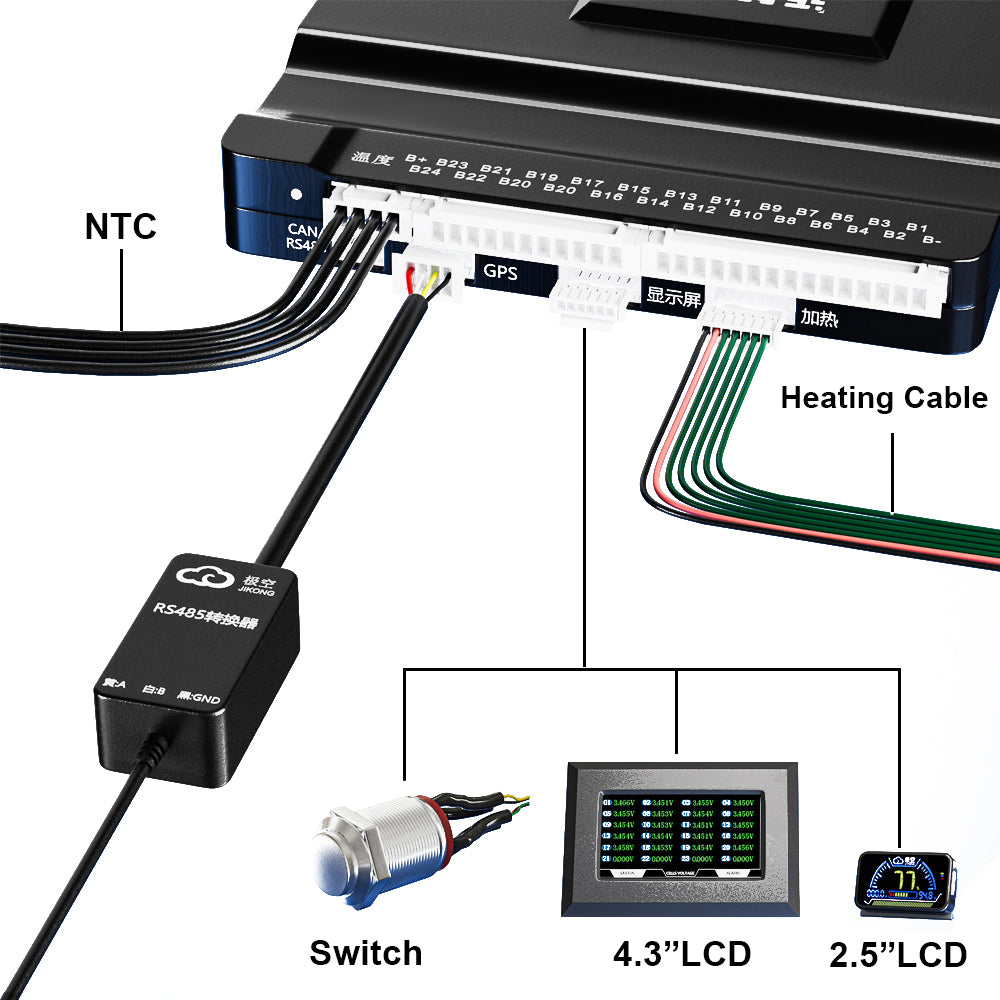
The JKBMS 2 Inch LCD Display gives you real-time visibility into your battery pack — SOC, total voltage, charge/discharge current, and fault codes — in a compact 61×36mm panel. The built-in active switch lets you power the BMS and display on and off directly from the panel, making it the ideal control point for RV, marine, and portable power installations where a dedicated panel switch is needed.
Compatible with: All JKBMS Smart BMS models (Standard / HC / HCR series)
Key Specifications
| Parameter | Specification |
|---|---|
| Screen Size | 2.0 inch |
| Device Dimensions | 61 × 36 × 11 mm |
| Cable Length | 3 meters |
| Operating Temperature | -20°C to +70°C |
| Storage Temperature | -30°C to +85°C |
| Connection | UART display port (plug-and-play) |
What You Can Monitor
- ✅ State of Charge (SOC) — remaining battery capacity at a glance
- ✅ Total battery voltage — real-time pack voltage
- ✅ Charge / discharge current — know exactly what your pack is doing
- ✅ Fault codes & alarm alerts — 8 fault types displayed with descriptions
Active Switch — Control BMS & Display Power
The built-in white button on the right side of the display controls both the BMS power state and the display backlight:
- Power On: Press and hold 1–2 seconds to power on the BMS and display
- Power Off: Long press 2~3 seconds while BMS is on to power off
- Display backlight toggle: Single press toggles the backlight on/off while BMS remains on
Display Auto-Off Logic
- Static (no discharge current, no button): Backlight turns off after 10 seconds to save power
- During discharge: Display stays on continuously
- Button press: Toggles backlight between on and off
Fault Code Reference
| Code | Fault Description |
|---|---|
| 1 | Single cell over-discharge alarm |
| 2 | Single cell overcharge alarm |
| 3 | Over-current alarm |
| 4 | MOS over-temperature alarm |
| 5 | Battery over-temperature alarm |
| 6 | Short circuit alarm |
| 7 | Internal communication abnormal |
| 8 | Balancing wire resistance too large / dropped string |
Who Is This Display For?
- 🚐 RV & campervan builders needing a panel-mounted BMS switch and monitor
- 🛥 Marine installations requiring compact display with power control
- 🔦 Portable power stations and off-grid systems
- 🔋 Home ESS installations with limited panel space
- 🏭 OEM battery manufacturers integrating a compact control display
Package Contents
- 1× JKBMS 2 Inch LCD Display with Active Switch (3m cable)
OEM / ODM & Bulk Orders
📩 For wholesale pricing, MOQ, and custom configurations, please contact us directly.
Share