


V22 Energy Storage Management | JKBMS JK-PBD6A16S-15P 150A BMS
The JKBMS JK-PBD6A16S-15P combines 150A continuous charging and discharging with up to 0.6A energy-transfer active balancing for energy storage battery packs. Bluetooth monitoring, CAN and RS485 communication help you monitor the battery and integrate compatible equipment, while configurable protection settings let you match operation to your battery system.
Key Specifications
| Parameter | Specification |
|---|---|
| Model | JK-PBD6A16S-15P V22 |
| Continuous Charge Current | 150A |
| Continuous Discharge Current | 150A |
| Active Balance Current | Up to 0.6A |
| Compatible Chemistry | LiFePO4: 8S–16S; ternary lithium: 7S–16S; LTO: 14S–16S |
| Communication | Bluetooth + CAN + two RS485 channels |
| PC Connection | USB-to-RS485 adapter through the interface board's RS485-2 port |
| Heating Control | 10A designed heating current; external heater required |
| Dry Contacts | 2 |
| Discharge Precharge | Built-in; default precharge time: 3 seconds |
| Charge-Current Limiting | Approximately 10A when the charge-overcurrent limiting function is triggered |
| Temperature Sensing | 1 internal and 4 external channels |
| Supply Voltage | 20–80V; typical 51.2V |
| Typical Finished Board Weight | 831g; 150A version only |
| Protection | Charge overvoltage, discharge undervoltage, charge/discharge overcurrent and overtemperature, low-temperature charging and short-circuit protection |
Why Choose the PBD V22 Series?
0.6A Active Balancing for Battery Management
The active balancer transfers energy between cells rather than dissipating the balancing energy as heat. Adjust balancing settings to suit your battery pack. The 0.6A balancing specification does not change this model's 150A continuous current rating.
Bluetooth Monitoring and Equipment Communication
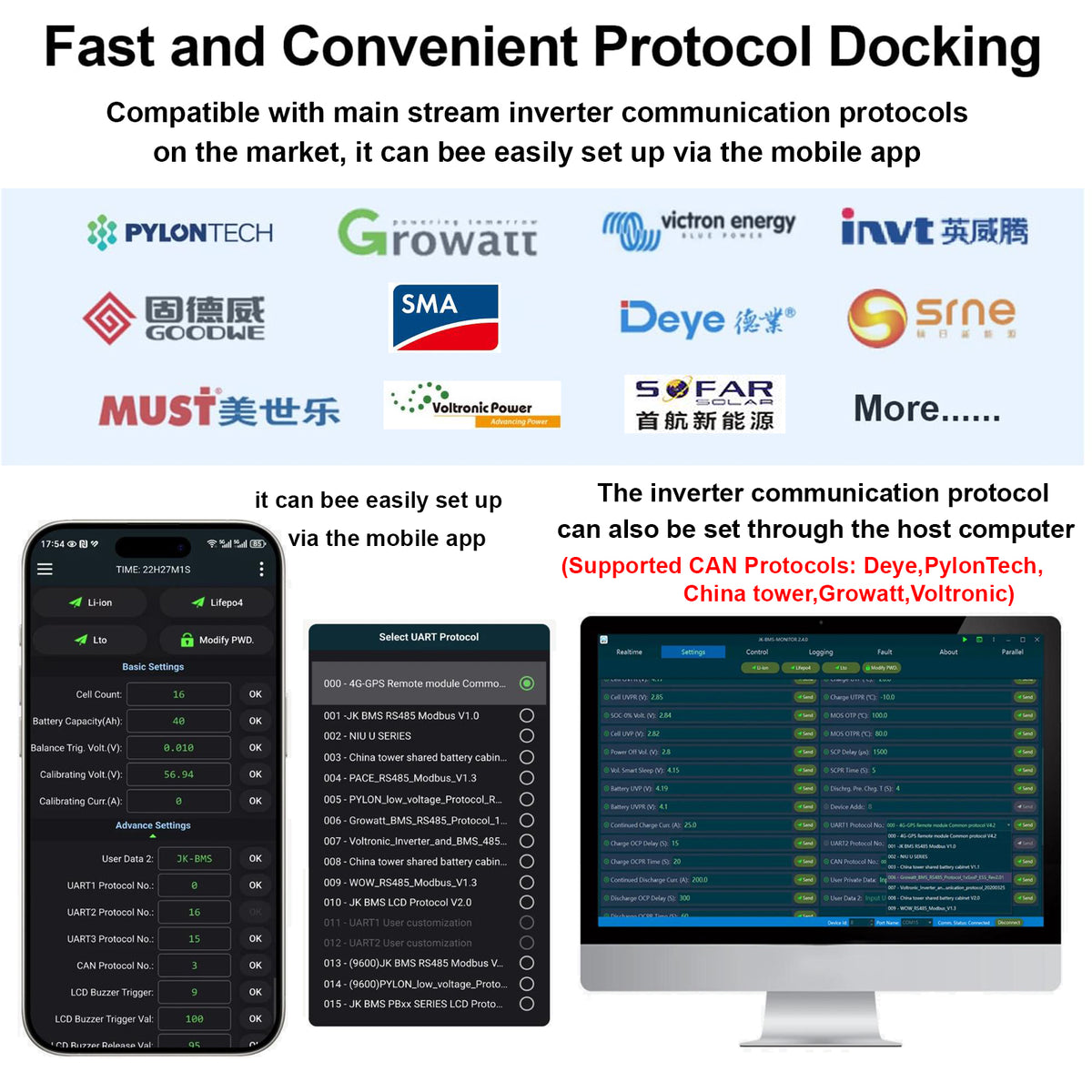
Use the Android or iOS Bluetooth app to view battery status and adjust operating parameters. CAN and two RS485 channels support communication with compatible equipment. Confirm the specific inverter model and select its appropriate protocol before connection; interface availability does not imply universal inverter compatibility.
PC Monitoring and Multi-BMS Systems
Connect a PC using a USB-to-RS485 adapter through the interface board's RS485-2 connection. The parallel-operation section of the reference manual describes up to 32 addressed BMS units. Follow its addressing and connection instructions for multi-BMS monitoring.
Heating, Precharge and External Control
Heating control supports a designed heating current of 10A with a suitable external heater. Two dry contacts provide configurable external alarm or control functions. Built-in discharge precharge has a default time of 3 seconds, and the charge-overcurrent limiting function limits charging to approximately 10A when triggered.
Who Is This BMS For?
- Energy storage battery builders requiring 150A continuous charging and discharging.
- Home solar and off-grid projects using compatible inverters and communication protocols.
- DIY and OEM battery projects using 8S–16S LiFePO4, 7S–16S ternary lithium or 14S–16S LTO cells.
- Systems requiring Bluetooth monitoring, PC access, heating control or dry-contact integration.
Compare JK-PBD Smart BMS Models
| Feature | JK-PBD6A16S-10P | JK-PBD6A16S-15P (This Model) | JK-PBD6A16S-20P |
|---|---|---|---|
| Continuous Charge Current | 100A | 150A | 200A |
| Continuous Discharge Current | 100A | 150A | 200A |
| Active Balance Current | Up to 0.6A | Up to 0.6A | Up to 0.6A |
| LiFePO4 Configuration | 8S–16S | 8S–16S | 8S–16S |
| Bluetooth App | Android / iOS | Android / iOS | Android / iOS |
| Communication | CAN + RS485 | CAN + RS485 | CAN + RS485 |
| Heating Control | Yes; external heater required | Yes; external heater required | Yes; external heater required |
| Dry Contacts | 2 | 2 | 2 |
The current rating is model-specific. Active balancing current is separate from charge and discharge current. Select the BMS to match the battery cells, wiring and equipment requirements; do not assume a higher short-duration discharge rating.
Installation and Accessories
Set the battery chemistry, cell count, capacity and protection thresholds to match the battery pack before use. Check all cell-sensing connections and B− and P− wiring before activation. Configure protection within the limits of the cells, cables and equipment.
Confirm the supplied accessories before ordering. The reference manual lists an interface board, sampling leads, adapter cables and an activation switch. Displays and external heating equipment are not included in that accessory list. Heating installations should include suitable secondary thermal protection.
Do not use the 200A version’s board weight as the shipping weight for this model. Model-specific dimensions are not listed here; the manual specifies a typical finished board weight of 831g for the 150A version.
V22 Monitoring, Setup and Daily Operation
Cell Voltage, Capacity and Event Information
The V22 specification describes cell-voltage acquisition with ±3mV accuracy, current measurement, battery-capacity calculation and time-stamped logging. Use the app to review battery operating status and control charging, discharging and balancing. Bluetooth operation uses a nearby phone connection; it is not a promise of built-in internet or Wi-Fi access.
Adjustable Balancing Trigger
Before enabling active balancing, select the correct battery chemistry and set the cell count and battery capacity. The app allows adjustment of the balancing trigger voltage difference and balancing current up to 0.6A. With balancing enabled, energy is transferred from higher-voltage cells to lower-voltage cells when the configured voltage-difference condition is met. Balancing can also be switched off in the app.
Dedicated Communication Roles
CAN and RS485-1 are used for communication with compatible inverters. The manual lists a default CAN communication rate of 250 kbps and a default RS485-2 baud rate of 115200. RS485-2 is used for multi-BMS communication and PC monitoring. Protocol selection must match the connected equipment.
Interface Board and Multi-BMS Monitoring
The JK-CN-Link interface board provides status and remaining-capacity indicators, a reset button, an address DIP switch, dry contacts and communication connections. The parallel-operation instructions support addresses 0–31: address 0 is the host, and addresses 1–31 are slaves. Connect the host to a PC using USB-to-RS485 and link the BMS RS485-2 ports in sequence using the specified RJ45 cabling. This describes communication and monitoring, not permission to connect unmatched battery packs electrically.
Intelligent Sleep and Activation
Intelligent sleep can be enabled or disabled in the app. The manual describes sleep after 26 consecutive hours with charge/discharge current below 1A, helping reduce standby consumption. Button activation or charging activation can wake the BMS. A compatible optional display can also provide activation as described in the manual.
Protection and Recovery Functions
- Cell overvoltage: charging is stopped when a cell reaches the configured protection condition and resumes after the recovery requirements are met.
- Cell undervoltage: discharging is stopped to limit overdischarge; automatic shutdown voltage is separately configurable.
- Charge and discharge overcurrent: operating-current settings, protection delays and recovery times are configured for the battery and connected equipment.
- Temperature protection: separate charging/discharging overtemperature and recovery settings, plus low-temperature charging protection and recovery.
- Short-circuit protection: protection delay and recovery settings are described in the manual. Check the wiring and load before changing protection settings.
Protection behavior does not increase the continuous current rating. Do not interpret protection thresholds or delays as permission for sustained overloads. Temperature protection and heating control do not override the charging limits specified by the battery-cell manufacturer.
Heating, Dry Contacts and Precharge in Detail
Heating uses an external resistance heater or heating film matched to the system. The manual recommends a normally closed series thermal switch as secondary protection. Two dry contacts can be configured for external alarm or fan-control conditions. External alarms, fans, heaters and displays are not implied to be included.
The built-in discharge precharge time is adjustable; the default is 3 seconds, while a setting of 0 disables precharge. Charge-current limiting is a separate function that holds charging at approximately 10A when the charging-overcurrent limiting condition is triggered; it is not the normal charge-current rating.
Package Reference and Before-Use Checklist
The V22.2.1 reference accessory list includes a JK-CN-Link interface board, four M6 screws, interface adapter cables, a dry-contact terminal, an RJ45 cable, four color-coded sampling harnesses, an activation switch, a power lead and a heating lead. Confirm the actual supplied package for the selected model before ordering.
- Confirm the exact model, battery chemistry and series-cell count.
- Secure the BMS and verify the sampling leads and B− / P− connections before activation.
- Set battery capacity, protection/recovery values and balancing conditions for the actual cells.
- Confirm inverter protocol and communication cabling before integration.
- Use only accessories and software/firmware confirmed for the supplied V22 hardware; do not assume PB V19 instructions or display compatibility apply.
PBD V22 User Manual and Setup Reference
Download the PBD Reference Manual V22.2.1 (20P edition)
The linked manual carries the 20P model on its cover and also describes the 15P model. Use the 150A current rating for this 15P product and follow the instructions applicable to your supplied hardware.
Manuals & Downloads
Visit the Download Center to search for manuals, wiring guides and available files for your exact model and hardware version.